The 3-2-1 backup rule: what is it and what are the alternatives?

The 3-2-1 backup rule means keeping three copies of your data, on two different types of storage media, with one of them off site. It’s a solid backup strategy, proven effective over time, which backup service providers still recommend and use today in their backup and disaster recovery policies.
The United States government recommends 3-2-1 backup in a paper published by US-CERT, the US computer emergency readiness team, which is now part of the CISA agency. The paper was written by specialists at Carnegie Mellon University.
RezolvIT’s backup service backs up data on the network, on your existing equipment, and at the same time keeps a copy in the cloud, or even in a private cloud.
Backup as a Service: tell me more →
As with most things in technology, what is the “best strategy” one moment becomes mere history the next. The same can’t be said of the 3-2-1 backup method, which is still a solid backup policy. But we can say it’s time for “version 2” of the 3-2-1 backup strategy.
Although they don’t sound as catchy as the 3-2-1 rule, several new strategies have appeared as technology has progressed, from 3-1-2 to 3-2-2 and even a 3-2-3 backup rule, which we recommend you look into if you want a modern, agile company.
The 3-2-1 backup rule
The 3-2-1 backup rule simply says that you should have 3 copies of your data (the production data and 2 backup copies), on two different media (for example disk, NAS or SAN, and tape), with one copy off site, for disaster recovery. The strategy is illustrated in the figure below.
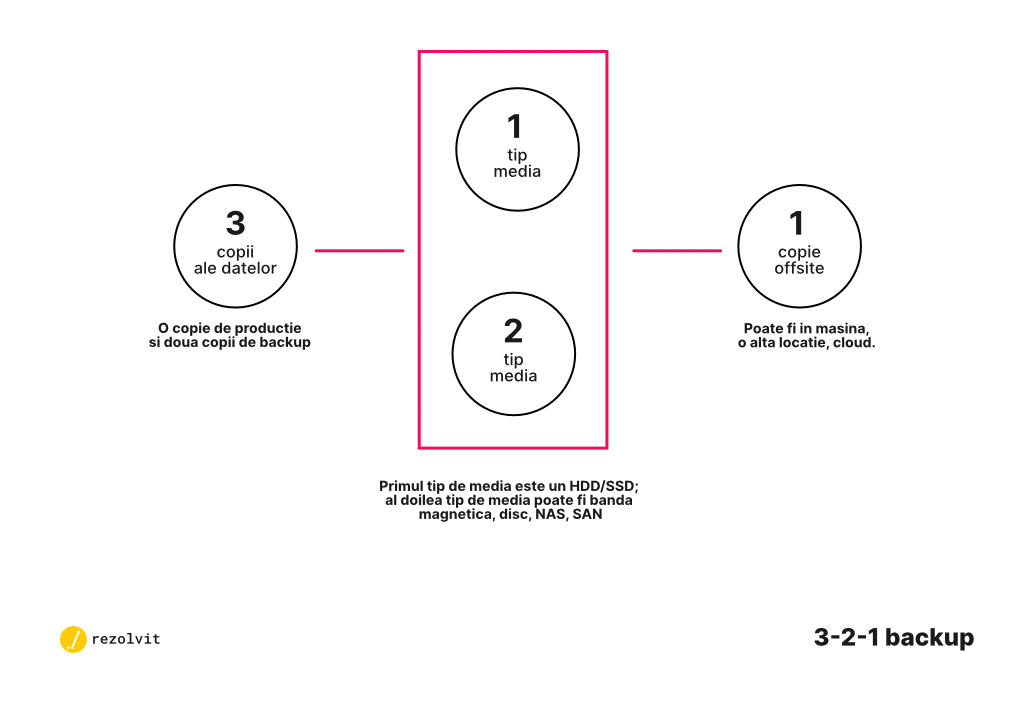
The 3-2-1 backup rule described above was a step forward when tape backup became affordable for companies. Even so, it was somewhat limited by tape technology: relatively low capacity, relatively slow transfer speeds and the need to swap cartridges by hand.
Options for the off-site copy ranged from an external storage service (warehouses, vaults and so on) to the trunk of someone’s car.
As cloud backup technologies evolved, the most convenient (but not the cheapest) solution became 3-2-1 backup with the off-site copy in the cloud (or 3-1-2 backup), described below.
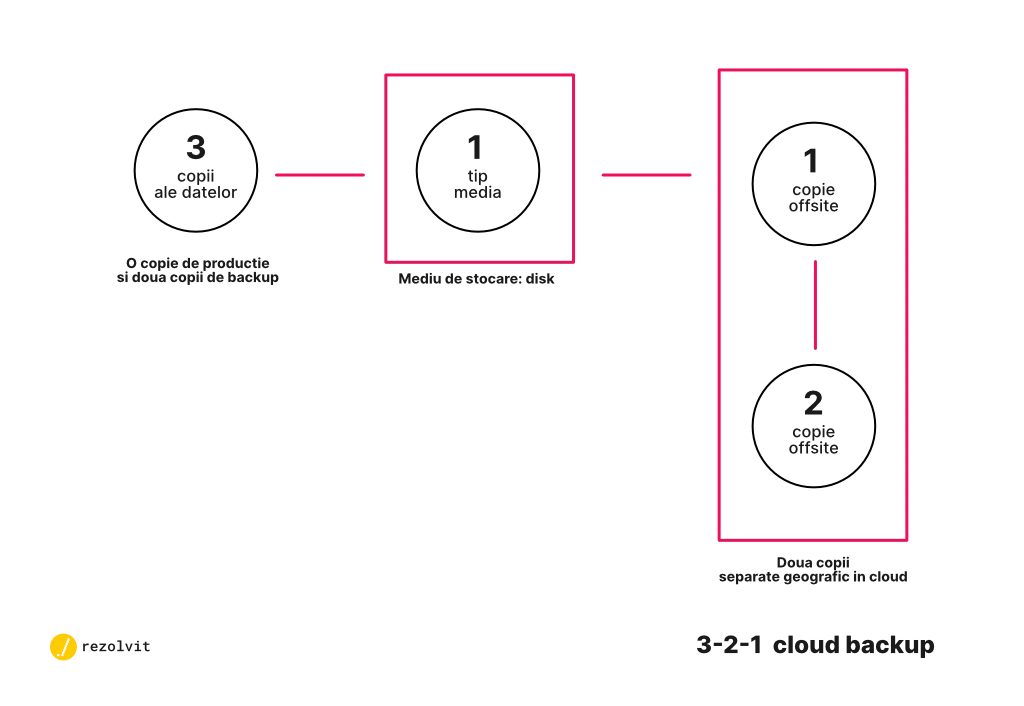
Ask your backup provider explicitly whether it offers 3-1-2 backup, as in the image, or just 3-1-1 (a single copy in the cloud). Don’t settle for a single copy in the cloud: it simply doesn’t offer the protection of modern business continuity and backup solutions.
The 3-2-2 backup rule
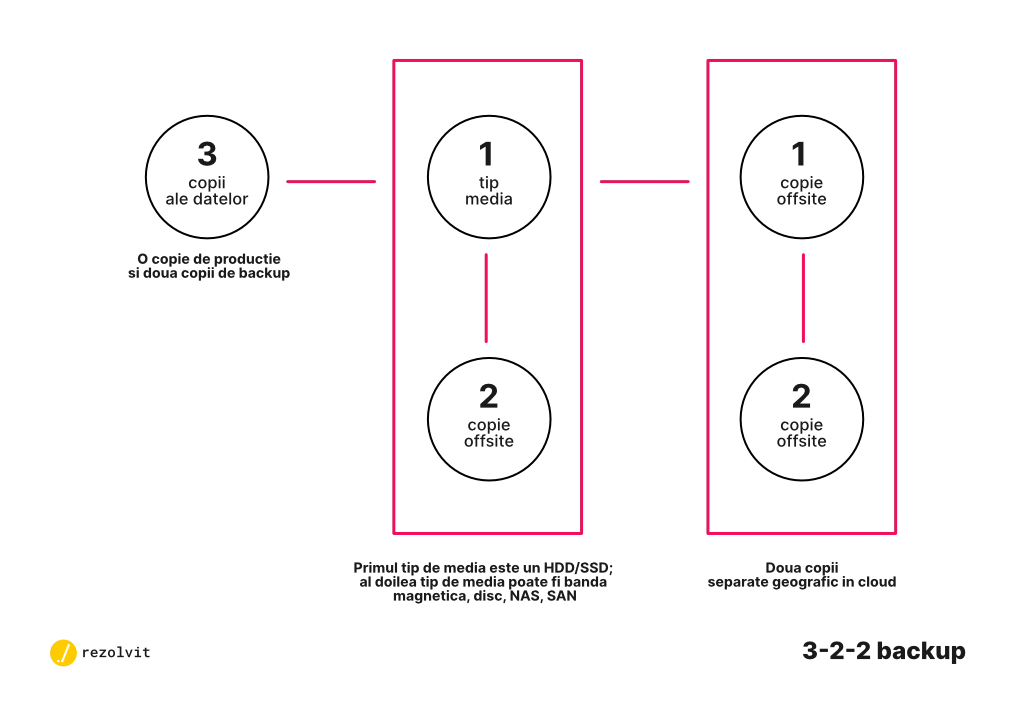
That said, we believe the 3-2-2 backup rule, which combines local and cloud protection, is the best fit for effective protection.
With this strategy, you get the flexibility of the cloud plus a second local storage medium. The cloud gives you both business continuity and long-term data retention. The second local medium gives you another copy of what you have in the cloud, easy to access and faster to restore. The strategy is shown in the figure below.
The 3-2-3 backup rule
Of the backup rules we discuss here, the one with the best data protection is a variant of the 3-2-2 strategy, called the 3-2-3 backup rule. Here it is in graphic form:
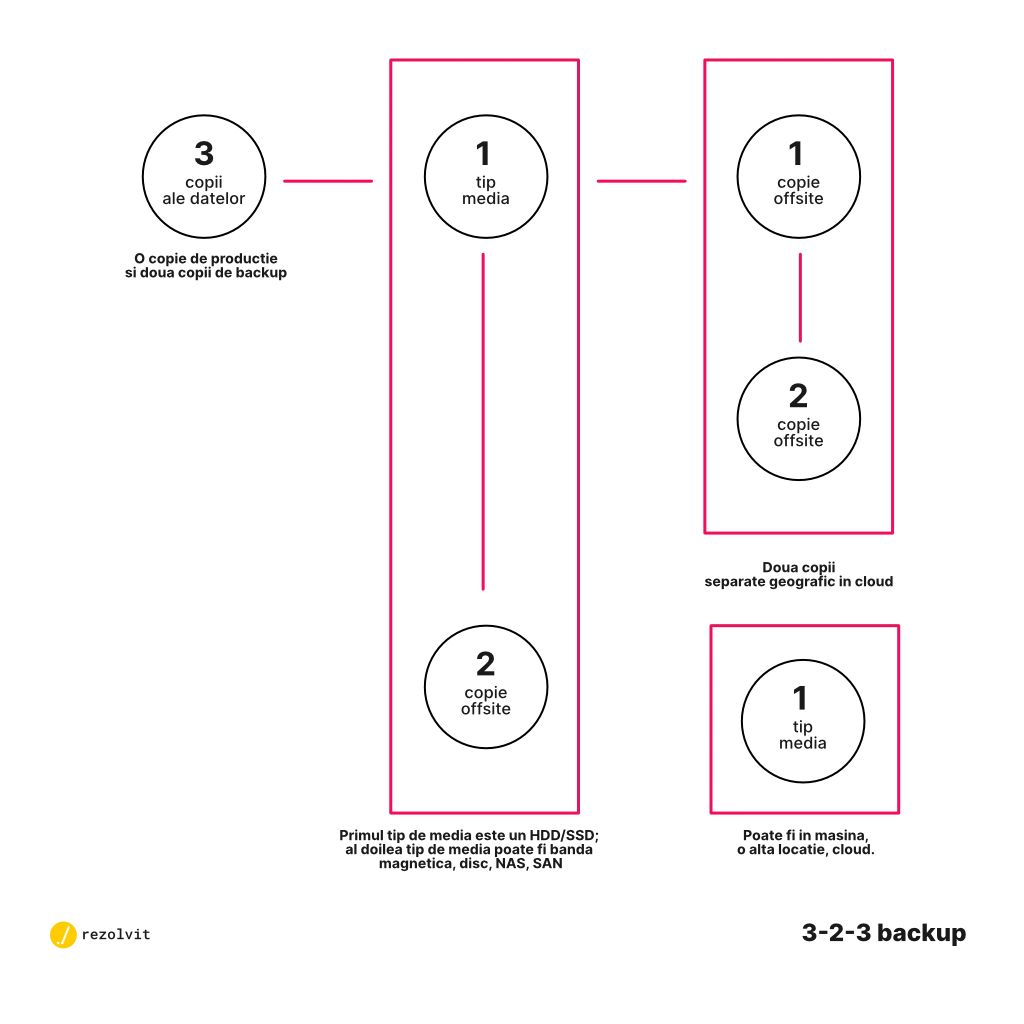
This strategy gives you the fastest disaster recovery, from two different physical storage media. In this approach, you use 2 cloud service providers, to protect yourself against situations such as the fire at the OVH data center in March 2021. On the other hand, with more storage media and more cloud providers, a full backup of your data takes longer.
What is the 3-2-1-1-0 backup rule?
The 3-2-1-1-0 rule is the current version of the 3-2-1 backup rule: on top of the three copies, on two media, with one off site, it also requires an offline or immutable copy and zero errors when backups are verified.
- 1 offline or immutable copy: a copy disconnected from the network (for example on tape or on a disk kept disconnected), or one that can’t be changed or deleted for a set period. Today’s ransomware looks for the backups and encrypts them first, so this copy is the last safety net.
- 0 errors: backups are verified automatically, and restores are tested regularly. A backup that can’t be restored won’t help you.
For companies that fall under NIS2 (in Romania, GEO 155/2024), backup management and disaster recovery are part of the mandatory security measures.
Which backup policy should you choose?
This has been a brief overview of a few backup strategies. Keep in mind that if your server or NAS has several disks in RAID, they are NOT a backup (see why RAID isn’t backup). Agree on one of these policies with your IT services and backup provider. For a complete plan, also use the backup strategy guide, with a free template.
If you’d like to talk about other backup strategies, contact us.
Tell us what’s slowing you down. We’ll call you.
It takes 30 seconds, and a specialist will call you back within 2 business hours.
- free IT & AI audit, no obligation
- a report with risks and concrete recommendations
- a clear offer, with a fixed monthly plan
Prefer the phone? 031 432 8681