Is WhatsApp Web safe? 5 security risks
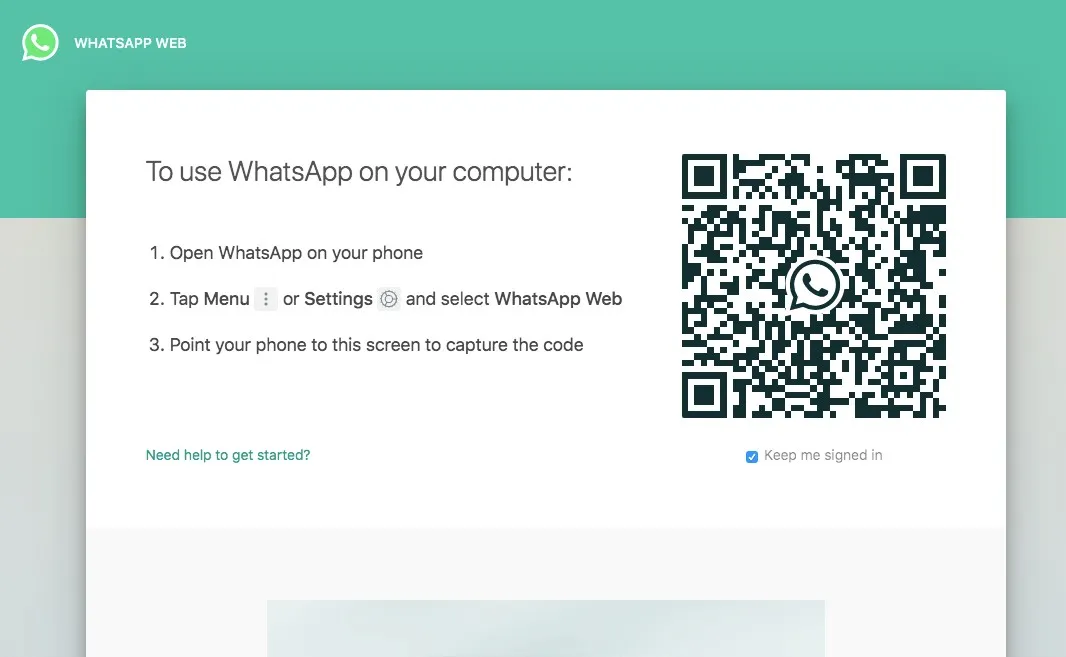
WhatsApp Web – the desktop version of the messaging platform owned by Facebook (since October 2021, the company has been called Meta) – is one of the most popular messaging apps in the world. In 2021, when we wrote this article, more than a billion people were estimated to use the app, sending over 65 billion messages a day. In April 2025, Meta announced that WhatsApp had passed 3 billion monthly users.
Let’s be clear: no app is immune to security vulnerabilities; they are a fact of technological life. How those vulnerabilities are handled is what matters, which is why we appreciate the security advisories page that WhatsApp launched in 2021 and still updates in 2026. It’s not just about how quickly flaws get fixed. Being transparent about their existence is just as essential. WhatsApp wins on both counts.
Here’s everything you need to know about the security issues of WhatsApp and WhatsApp Web.
-
WhatsApp Web Malware
WhatsApp’s huge user base makes it an obvious target for cybercriminals, and many of the attacks center on WhatsApp Web. For years, WhatsApp has let you open a website or download a desktop app, scan a code with the app on your phone and use WhatsApp on your computer. Since 2021, the linked computer works even when the phone isn’t connected to the internet.
Phone app stores – the App Store on iOS and the Google Play Store on Android – are more tightly regulated than the internet at large. When you search for WhatsApp in these stores, it’s generally clear which app is the official one. That isn’t true of the internet in general.
Criminals, hackers and scammers have taken advantage of this. There have been cases where attackers passed off malicious programs as WhatsApp desktop apps. If you were unlucky enough to download one of them, installing it could spread malware or otherwise compromise your computer.
In some cases, hackers managed to install WhatsApp Web spyware thanks to a vulnerability.
Others tried a different approach, creating phishing websites to trick you into handing over personal information.
Also read our article on what to do so you don’t fall victim to phishing attacks.
Some of these websites pretend to be WhatsApp Web and ask you to enter your phone number to connect to the service. In reality, they use that number to bombard you with spam or to match it with other data leaked or stolen on the internet.
The best way to stay safe is to use only apps and services from official sources. WhatsApp offers a web client you can use on any computer, known as WhatsApp Web, at web.whatsapp.com. There are also official apps for Android, iPhone, macOS and Windows, which you’ll find in the official app stores or on the download page at whatsapp.com.
-
Unencrypted WhatsApp Web Backups
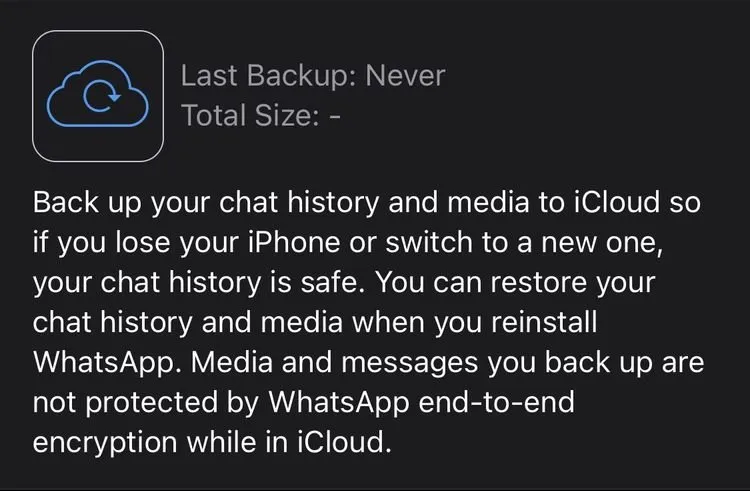
The messages you send on WhatsApp are end-to-end encrypted. This means only your device and the recipient’s can decode them. This feature prevents your messages from being intercepted in transit, even by WhatsApp or its parent company. However, encryption no longer protects them once they’re decrypted on your device.
WhatsApp lets you back up your messages and images on Android and iOS. This is an essential feature, because it lets you recover WhatsApp messages you deleted by mistake. There’s a local backup on your device in addition to a cloud backup. On Android, you can back up your WhatsApp data to Google Drive. If you use an iPhone, the backup destination is iCloud. These backups contain the decrypted messages from your device.
IT services for companies: tell me more →
In 2021, when we wrote this article, the backup file stored on iCloud or Google Drive was not end-to-end encrypted. Because this file contains decrypted versions of all your messages, it was theoretically vulnerable and undermined WhatsApp’s end-to-end encryption.
Since October 2021, WhatsApp has offered end-to-end encrypted backups, protected by a password you choose or by a 64-digit key. Neither WhatsApp nor Google or Apple can read such a backup. The option isn’t on by default, though: you turn it on in the chat backup settings. If you forget the password or lose the key, WhatsApp can’t recover your backup.
Since you can’t choose where the backup is stored, without this option you’re at the mercy of the cloud providers to keep your data safe. Although no large-scale attack had hit iCloud or Google Drive as of 2021, that doesn’t mean it can’t happen. There are other ways attackers could gain access to your cloud storage accounts.
-
Data Sharing with Facebook
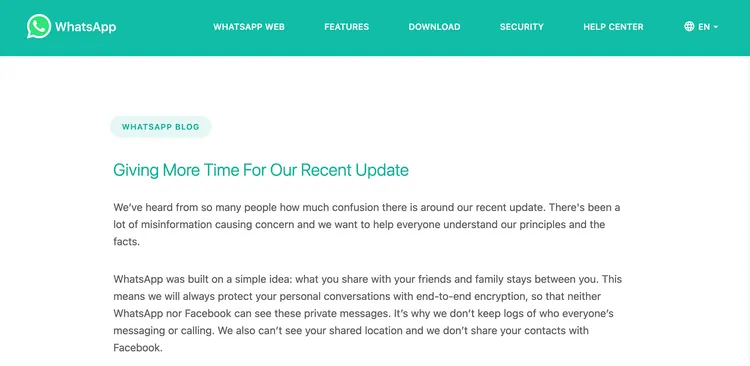
Facebook has been the subject of a lot of criticism in recent years. One of these criticisms concerns Facebook’s effective market monopoly and its anticompetitive behavior. Regulators try to minimize anticompetitive behavior by reviewing any acquisition attempts. In October 2021, the Facebook company changed its name to Meta; the social network is still called Facebook.
So in 2014, when Facebook decided it wanted to add WhatsApp to the “Facebook family,” the European Union (EU) approved the deal only after Facebook assured it that the two companies and their data would be kept separate. In 2017, the European Commission fined Facebook €110 million for the misleading information it had provided during that review.
It didn’t take long for Facebook to go back on this agreement. In 2016, WhatsApp updated its privacy policy to allow data to be shared from WhatsApp to Facebook. Although the companies didn’t disclose the full extent of this data transfer, it included your phone number and usage data, such as when you last used the service. Your WhatsApp messages could be at risk because of this.
Despite assurances to users that their data wouldn’t be publicly available on Facebook, the implication was that the company would instead store it in the inaccessible, hidden profile Facebook keeps about you. In the years since, Facebook has made changes to make this data sharing easier. However, every time it proposes a new privacy policy, users and regulators push back.
After the 2016 announcement, you could opt out of cross-platform data sharing on WhatsApp, although this option was quietly withdrawn a little later. Then, in 2019, Facebook announced plans to merge its messaging platforms. At the end of 2020, the first stages were put in place when the company linked Messenger with Instagram Direct.
In January 2021, Facebook published a new data-sharing policy for WhatsApp, requiring your information to be transferred between the messaging app and the social network. After users complained, the company then said it would limit WhatsApp’s features for anyone who didn’t opt in. For users in the European Union, WhatsApp said at the time that the update didn’t change how it shares data with Facebook.
Starting in June 2021, Facebook softened these penalties again, although it would still encourage users to opt in to the new policies. In September 2021, the Irish data protection authority fined WhatsApp €225 million for not explaining clearly enough to users what data it processes and how it shares that data with the other Facebook companies.
-
Hoaxes and Fake News
In recent years, social media companies have been criticized for allowing fake news and disinformation to spread on their platforms. Facebook, in particular, was condemned for its role in spreading disinformation during the 2020 US presidential campaign. WhatsApp has been subject to the same forces.
Two of the most notable cases happened in India and Brazil. WhatsApp was implicated in the widespread violence that took place in India in 2017 and 2018. Messages containing details of made-up child kidnappings were forwarded and spread on the platform, customized with local information. These messages were widely shared across people’s networks and led to the lynching of those accused of these false crimes.
In Brazil, WhatsApp was the main source of fake news during the 2018 elections. Because this kind of disinformation was so easy to spread, businesspeople in Brazil set up companies that ran illegal disinformation campaigns on WhatsApp against candidates. They could do this because your phone number is your username on WhatsApp, so they bought lists of phone numbers to target.
Both problems continued throughout 2018, a year that was infamously terrible for Facebook. Digital disinformation is a hard problem to manage, but many considered WhatsApp’s response to these events apathetic.
Still, the company did make some changes. WhatsApp put limits on forwarding, so you could forward a message to only five groups instead of the previous limit of 250. The company also removed the quick forward button in a number of regions.
Despite these interventions, at the start of the COVID-19 pandemic, WhatsApp was used to spread misinformation about the virus. In April 2020, lockdowns were imposed around the world, so people relied on the internet for news even more than usual.
Once again, Facebook introduced forwarding limits to prevent the spread of incorrect or false information: since April 2020, a message that has been forwarded many times can be sent on to only one chat at a time. Similarly, the company worked with health authorities and organizations around the world to develop WhatsApp chatbots, so people could easily access reliable information about the pandemic.
Both scenarios – the 2018 political events and the COVID-19 pandemic – were affected by the same problem: false information forwarded to many people. Given that WhatsApp claimed it had solved this problem in 2018, it’s unclear whether it quietly removed the forwarding limits, which led to the pandemic-related disinformation, or whether the 2018 interventions were ineffective.
-
WhatsApp Status
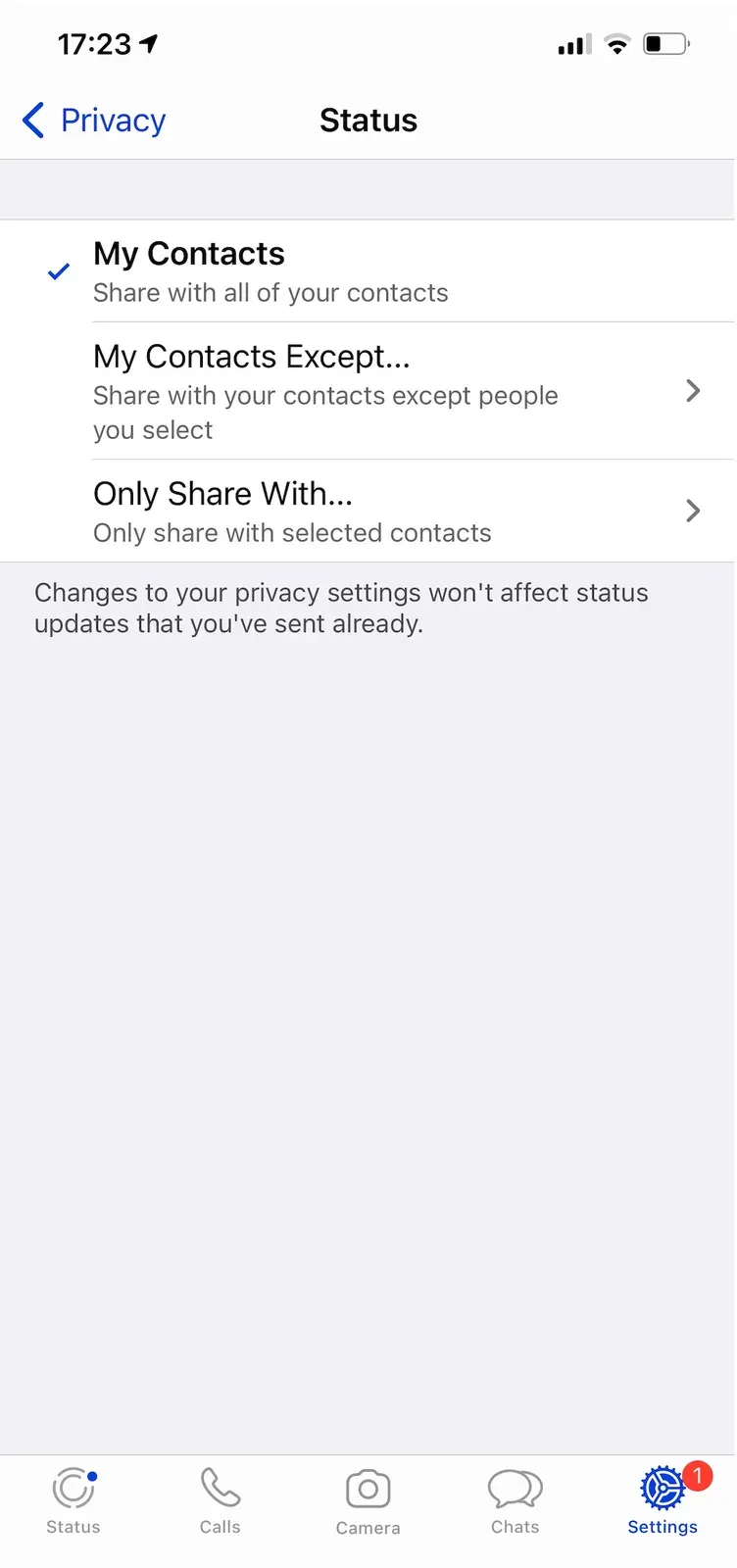
For many years, WhatsApp’s status feature, a short line of text, was the only way to share what you were doing at that moment. It has since turned into WhatsApp Status, a clone of the popular Instagram Stories feature.
Instagram is a platform designed to be public, although you can make your profile private if you want. WhatsApp, on the other hand, is a more personal service, used to talk to friends and family. So you might assume that sharing a Status on WhatsApp is private too.
That’s not the case, though. Anyone in your WhatsApp contacts can see your Status. Fortunately, it’s fairly easy to control who you share your Status with.
Go to Settings > Privacy > Status (in older versions of the app, Settings > Account > Privacy > Status) and you’ll see three privacy options for Status updates:
My contacts
My contacts except…
Only share with…
Despite this simplicity, WhatsApp doesn’t make it clear whether blocked contacts can see your Status. However, the company did the sensible thing, and your blocked contacts can’t see your Status, whatever your privacy settings. As with Instagram Stories, any videos and photos added to your Status disappear after 24 hours.
Is WhatsApp Web safe?
Yes, WhatsApp Web is safe if you open it only from the official address, on a computer that belongs to you, with two-step verification turned on and your backup encrypted. The risks above have more to do with how it’s used and with the company that owns it.
So, is WhatsApp safe to use? WhatsApp is a confusing platform. On the one hand, the company implemented end-to-end encryption in one of the most popular apps in the world, a clear security advantage.
However, there are many concerns about WhatsApp security. One of the main problems is that it’s owned by Facebook (now Meta) and suffers from many of the same privacy risks and disinformation campaigns as its parent company.
How do you connect to WhatsApp Web safely?
Open only the official address, web.whatsapp.com, and link your computer from the WhatsApp app on your phone, not from a link you received in a message or from an ad.
- Type web.whatsapp.com directly into your browser’s address bar.
- On your phone, open WhatsApp, then Settings (on iPhone) or the three-dot menu (on Android), and choose Linked devices.
- Choose to link a new device and scan the QR code shown in the browser. Alternatively, WhatsApp can give you a linking code to enter on your phone.
- On a computer that isn’t yours, log out from the WhatsApp Web menu when you’re done.
An account can have at most four linked devices. Check the Linked devices list from time to time and log out any computer or browser you don’t recognize.
What has changed in WhatsApp security since 2021?
Three important things: backups can be end-to-end encrypted, WhatsApp Web no longer depends on the phone, and Facebook is now called Meta. The risks in this article still apply in 2026, though, and most attacks start with a message or a call that convinces you to make a single wrong move.
- Turn on two-step verification (Settings > Account): WhatsApp asks for a 6-digit PIN when someone tries to register your number on another phone.
- Never give anyone the 6-digit code you receive by text message, and don’t scan QR codes sent by other people: that’s how attackers take over WhatsApp accounts.
- Turn on end-to-end encrypted backup and keep the password or key somewhere safe.
- Keep the app up to date. Fixed vulnerabilities are listed on WhatsApp’s security advisories page.
- Beware of messages “from a family member” who has changed their number and urgently needs money: call the person on the number you know.
If employees use WhatsApp Web on company computers, set written rules: what information they’re allowed to send on WhatsApp, from which devices, and who has access to the company’s accounts.
RezolvIT is an IT outsourcing company that places great value on following security rules and uses innovative solutions to strengthen the security of the companies it works with. See what our IT security service includes or read about the 4 essentials for securing your office infrastructure.
Tell us what’s slowing you down. We’ll call you.
It takes 30 seconds, and a specialist will call you back within 2 business hours.
- free IT & AI audit, no obligation
- a report with risks and concrete recommendations
- a clear offer, with a fixed monthly plan
Prefer the phone? 031 432 8681